
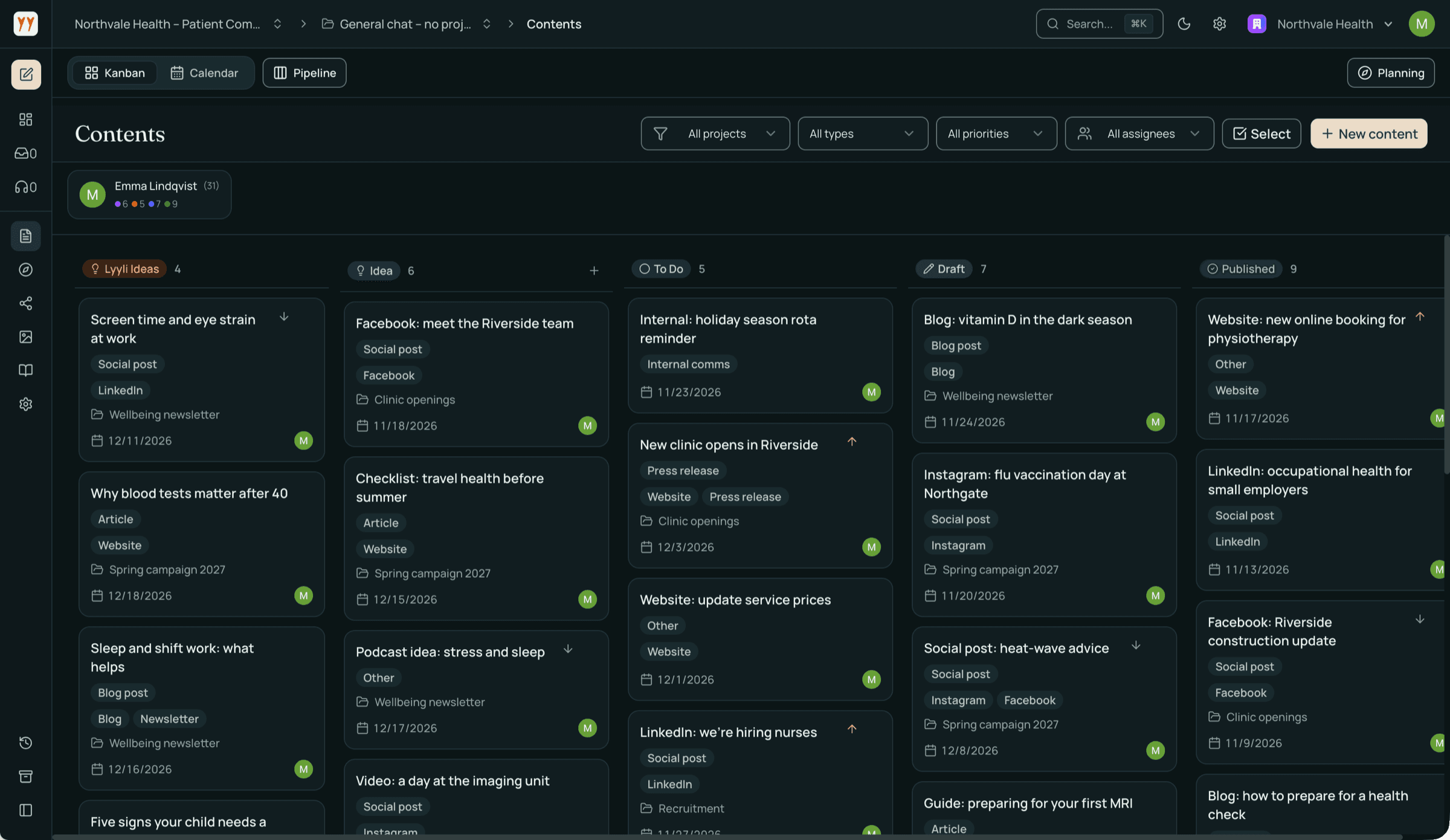
How publishing to channels works in practice

Mikko Oksanen
CEO & Co-Founder
You can now publish to your own channels straight from Lyyli. This article walks through how sharing works in practice and where to start.
Publishing to channels is in testing and included in the Professional plan. Starter and Growth do not include sharing.
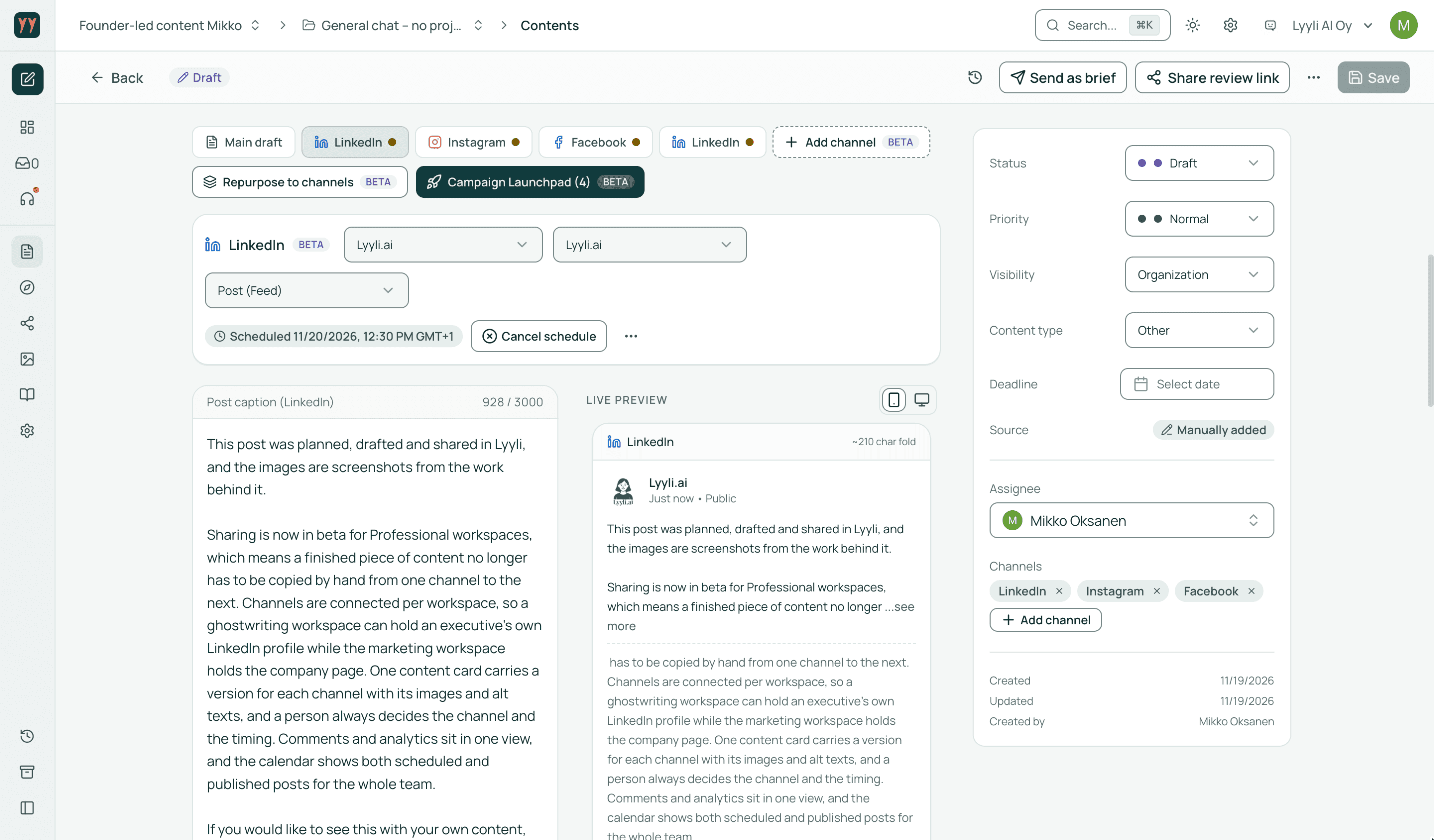
01Connect channels per workspace in settings
Activate publishing channels from the Integrations tab in workspace settings, in the browser or on your phone with a QR code. Supported channels include LinkedIn personal profiles and company pages, Instagram, Facebook Pages, X, Threads and WordPress. Instagram requires a business profile, and Facebook supports Pages rather than personal profiles.
Integrations are workspace-specific, which keeps different communication streams separate. A workspace for executive ghostwriting can connect only the leader's LinkedIn profile, while a marketing workspace holds the company page and other marketing channels.
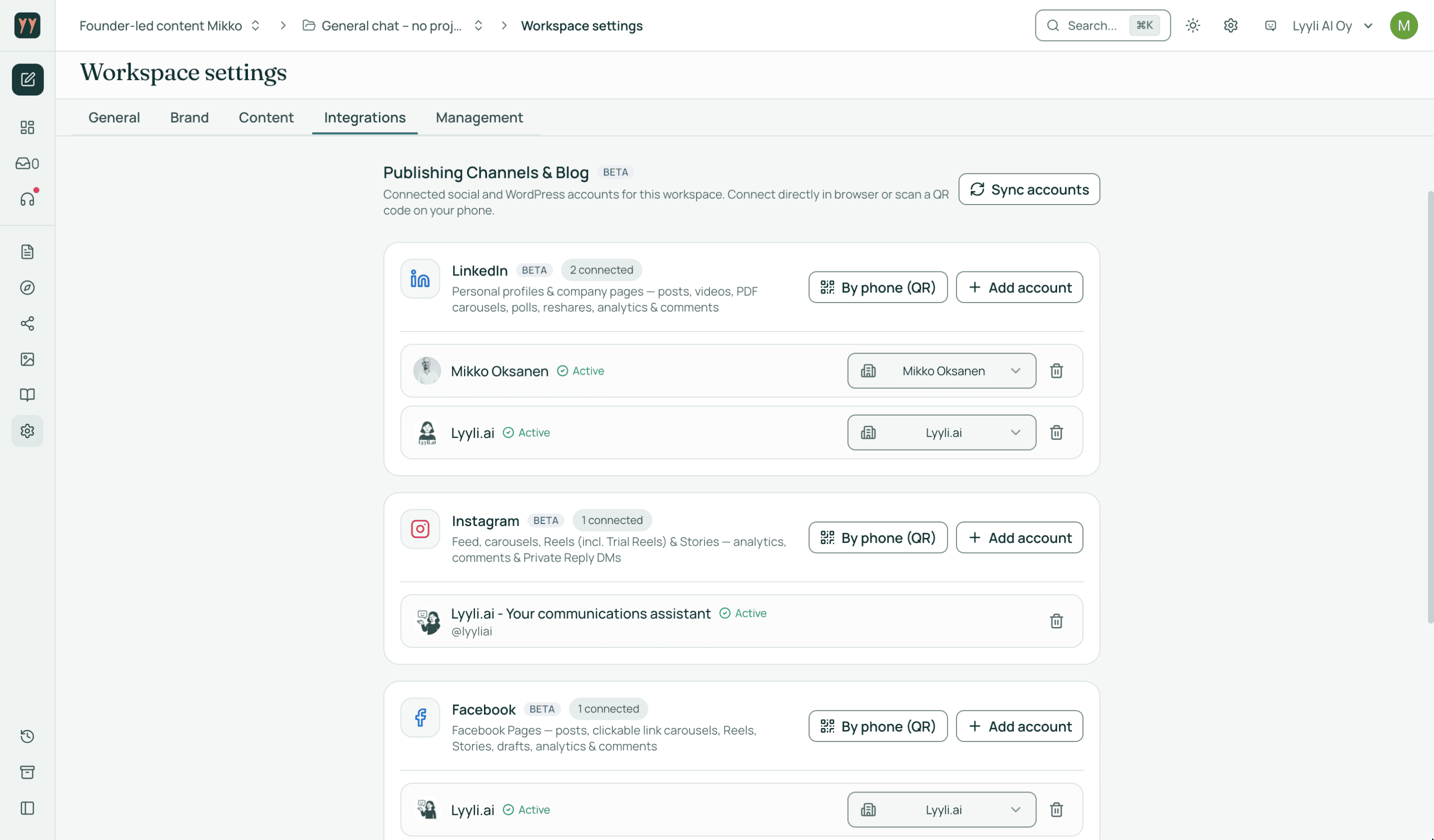
02Straight from the content card to your channels
Once an idea has become copy, the content card lets you build channel versions from the same piece of content, with images and alt texts. A preview shows how the post will look on the selected channel before anything goes live.
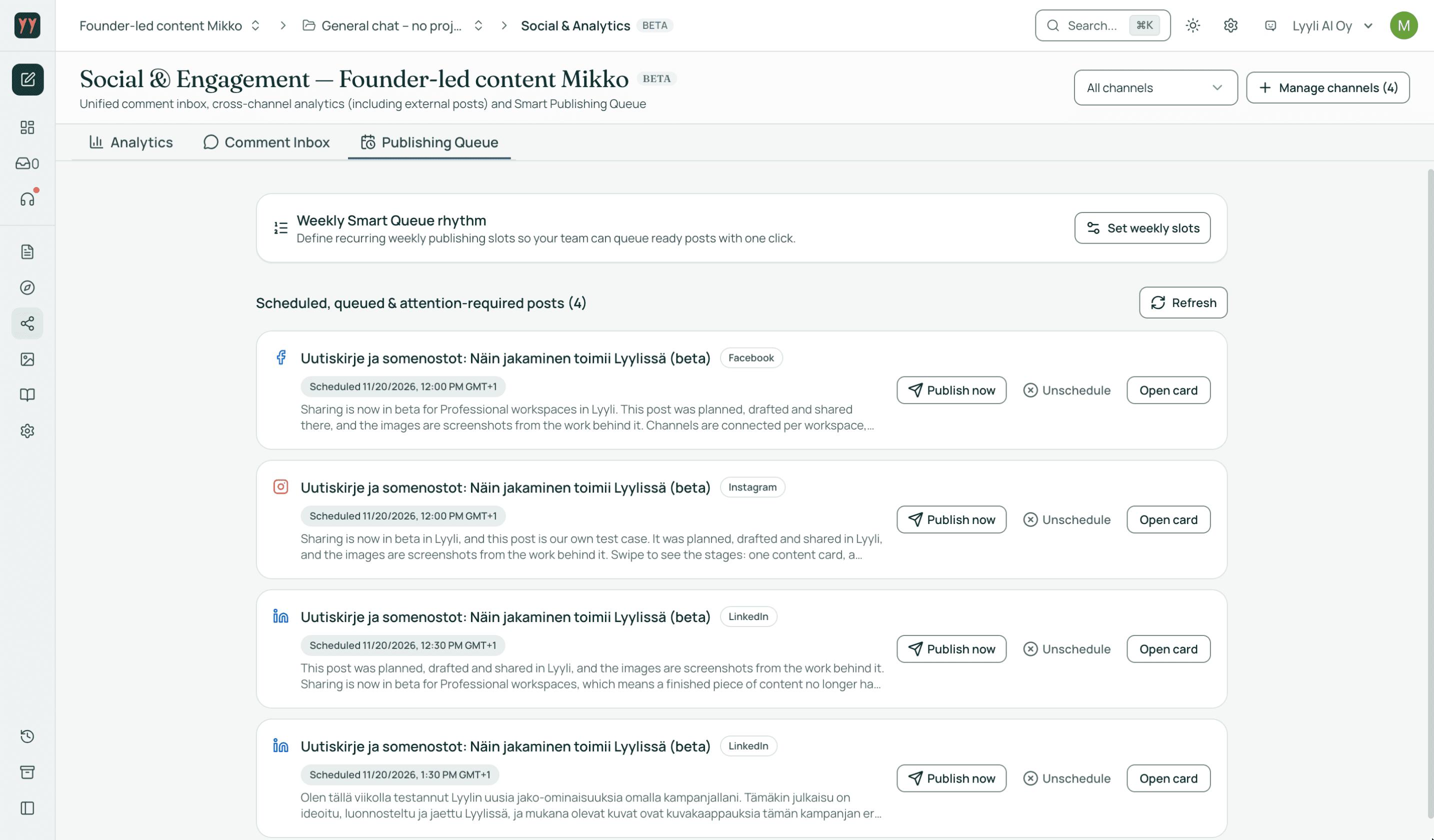
Lyyli never makes publishing decisions for you. A person always chooses both the channel and the timing. You can publish a finished channel version immediately, schedule it for a specific time or add it to the publishing queue. Before publishing, scheduling or adding to the queue, the channel version is acknowledged with “I have reviewed the content”, and the acknowledgment records who did it and when. Connect channels to the workspaces whose members are meant to publish.
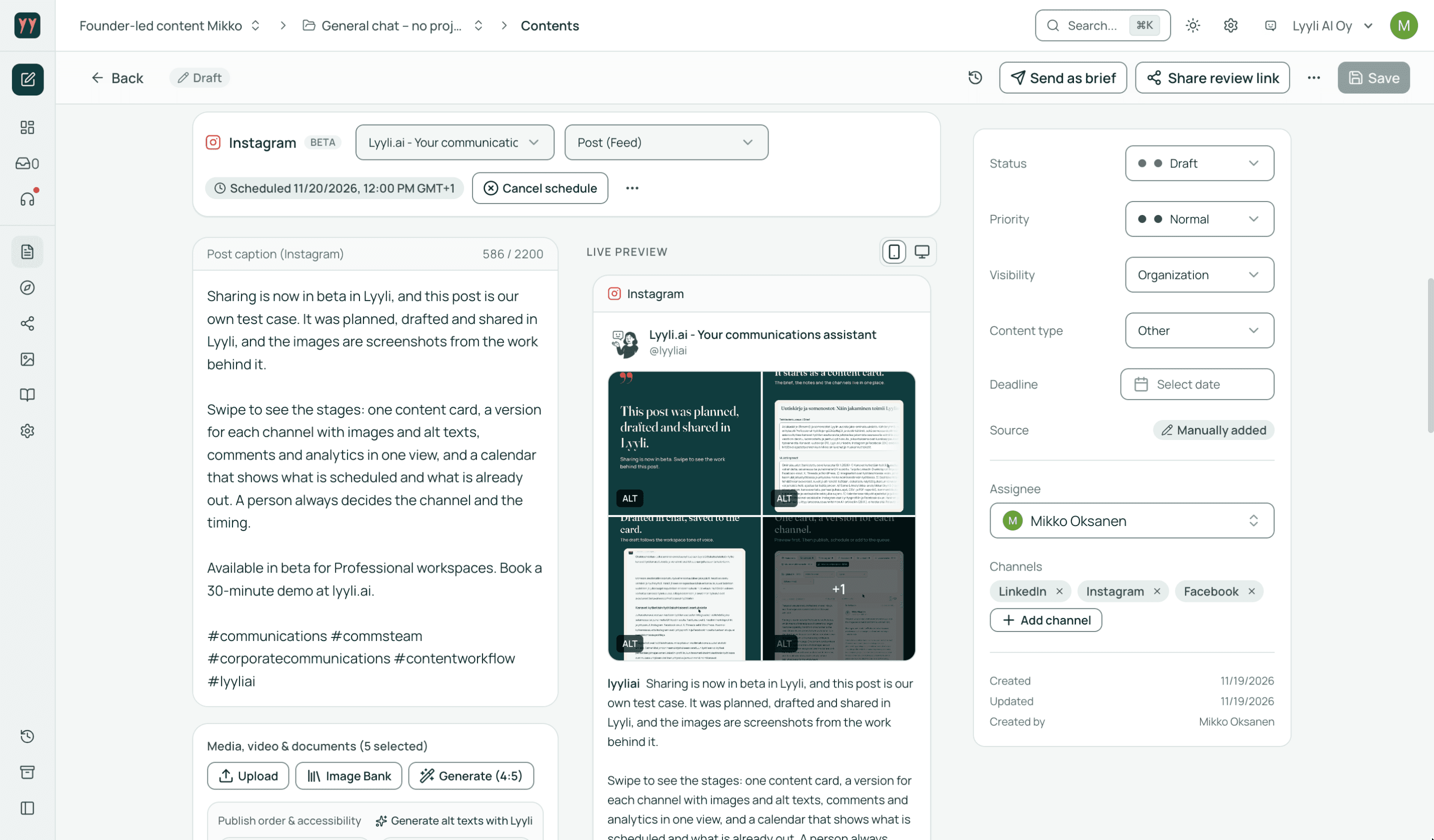
03Social & Analytics brings tracking and comments together
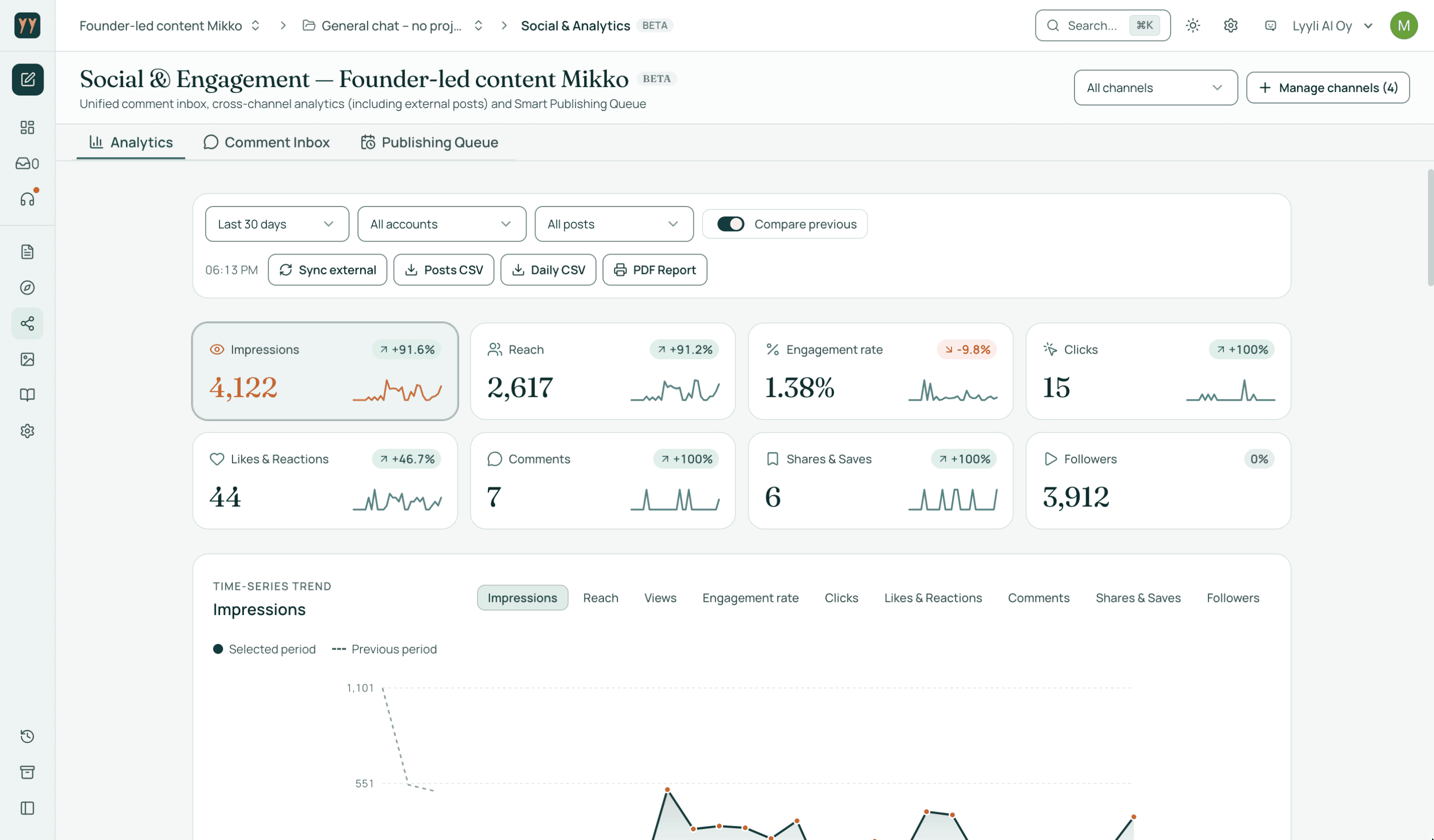
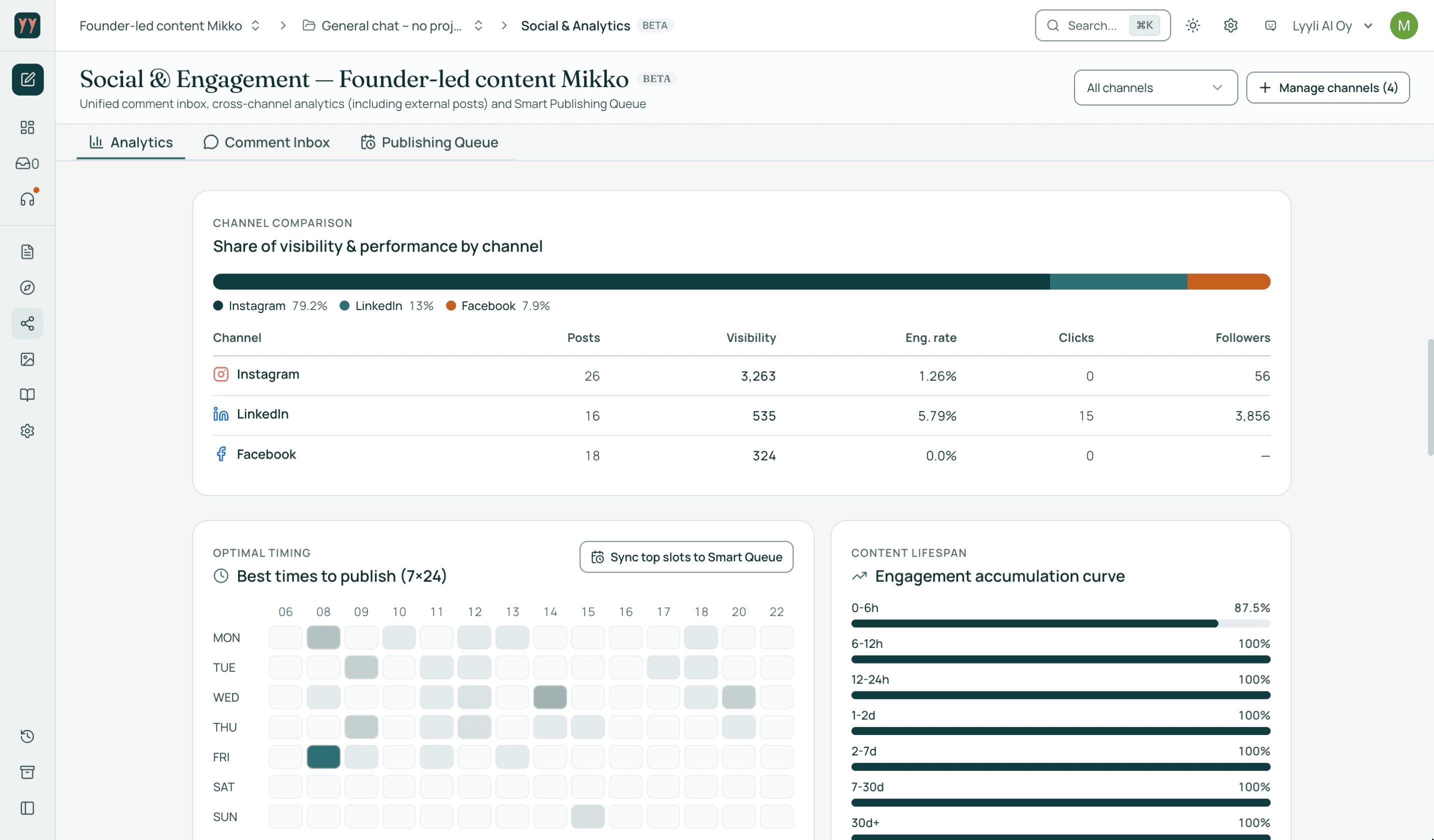
In Social & Analytics you see in one place how posts reach your audience. The dashboard gathers impressions, reach, engagement and channel comparisons, and helps identify good times to post. Results export as CSV and PDF.
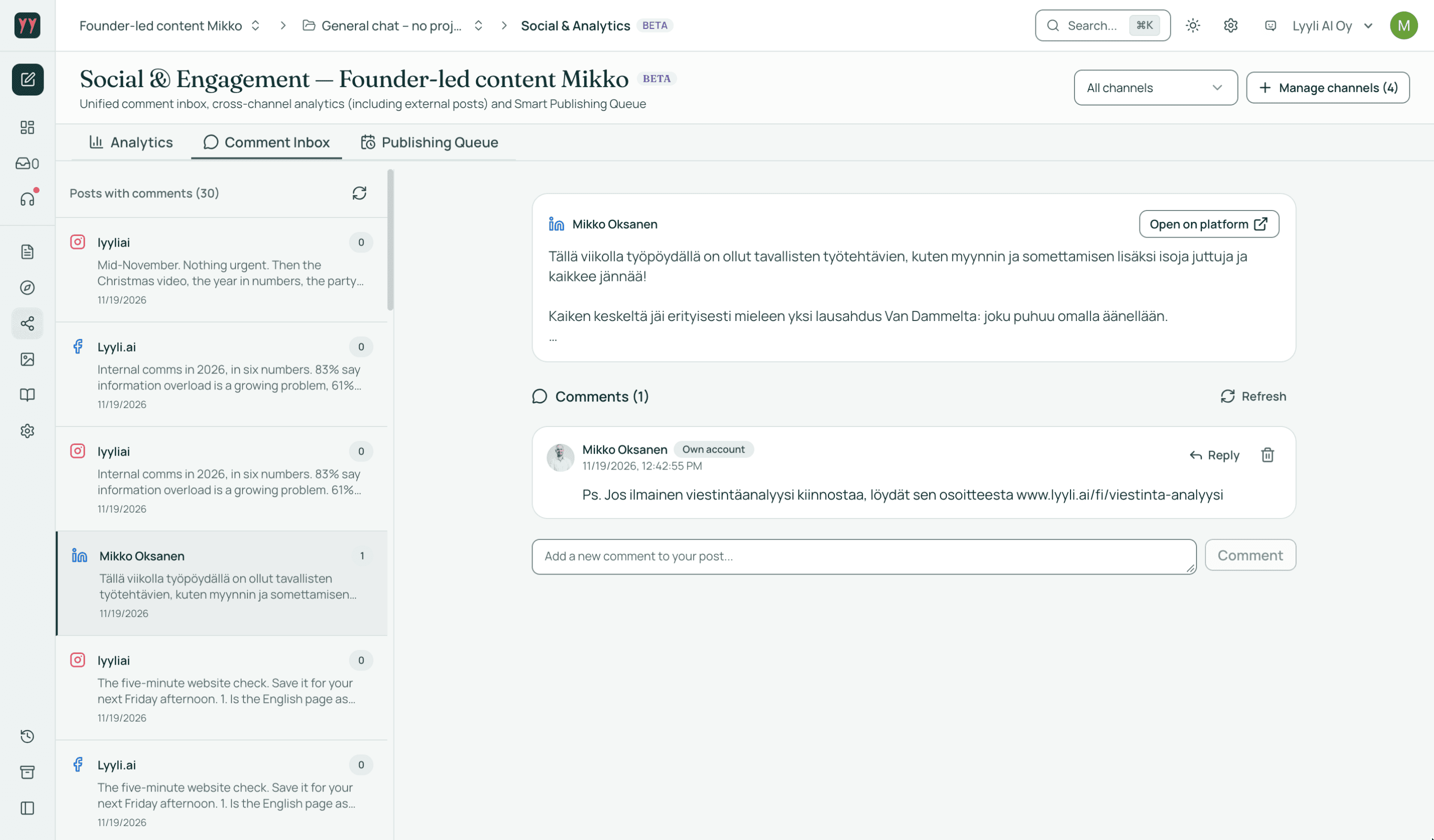
The comment inbox in the same view pulls together comments from all connected channels so you can reply from Lyyli. Upcoming posts are organised in the publishing queue.
04Keep the big picture clear in the calendar
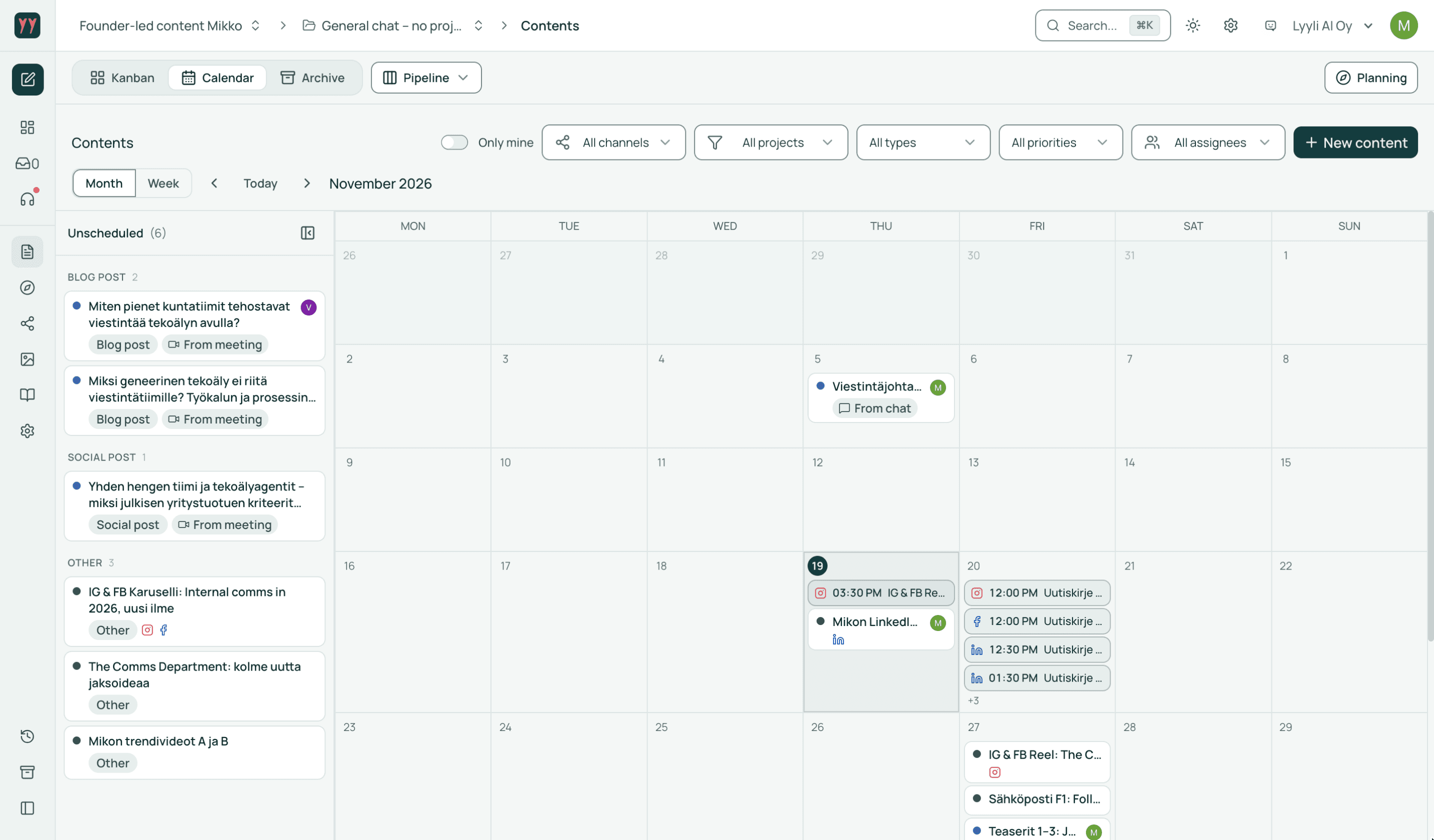
When a team produces content for several channels in parallel, a shared timeline makes daily planning easier. The calendar shows both scheduled and published posts, so the whole team sees what is happening in each channel over the coming days.
05This article was made in Lyyli
This article and the related newsletter were planned and drafted in Lyyli, and the social posts that go with them were published from there. The images are screenshots from this campaign's work stages.
Because publishing to channels is in testing, we welcome feedback at veikko@lyyli.ai. Connect your first channel in workspace settings so you can try publishing with your next ready piece of content.
Read also
 Made with AItrial
Updates to Lyyli trials and onboarding
We are tightening how trials start against bots: Starter is 14 days with a card, Professional is 30 days via a demo. Annual licences can still be paid by invoice.
 Made with AIcommunications management software
Communications management software for communications teams: Lyyli vs Staffbase, Poppulo, Filestage and Asana (2026)
Compare communications management software for teams: Lyyli vs Staffbase, Poppulo, Filestage and Asana — purpose, approvals, brand voice, EU data and price.
 Made with AIproduct update
New in Lyyli: workspace documents in AI conversations
In organisational communications, the hard part of AI is not producing text. It is missing the right background. The latest update brings workspace documents into the conversation.
 Made with AIGoogle Cloud
Lyyli.ai selected for the Google for Startups Cloud Program AI tier: a stronger technical foundation for organizational communications
Lyyli.ai has been accepted into the highest AI tier of the Google for Startups Cloud Program. Up to $350,000 in cloud support strengthens security, reliability, and product development for our customers.
 Made with AIcommunications strategy
Why the communications strategy and brand guidelines stay as PDF documents
The communications strategy and brand guidelines easily stay as PDF files on a shared drive. Read how strategic goals and brand voice become part of the team's daily workflow.
 Made with AImeeting communications
From meeting to publication: How leadership decisions and expert knowledge become communications without duplicate work
The most important positions are formed in meetings, but the knowledge stays in notebooks and channel noise. Read how to turn meeting conversations into a direct workflow to publication.